Key Takeaways:
- DLP for Claude stops confidential data, source code, regulated records, and case files from leaving in a prompt or upload before it reaches Anthropic.
- Claude is built for long-form, high-trust work, so the data people put into it tends to be among the most sensitive in the company.
- Anthropic’s Claude Compliance API gives security teams real visibility into Claude Enterprise activity. It reports what happened. It doesn’t stop a paste at the moment it happens.
- ORION Security covers Claude as a browser tab, a desktop app, and Claude Code; deploys in 30 minutes; and reads intent and context to allow, stop, or coach in real time. One customer runs the whole program with one person, less than two hours a day.
Enterprise teams want to run on Claude. Lawyers draft with it, analysts summarize hundred-page filings with it, engineers review code with it through Claude Code. For a CISO, whether to allow Claude use is already settled. The open question is how to let people use it while preventing sensitive data loss. ORION Security was built for that question, and this guide covers it for Claude.
What Is DLP for Claude?
DLP for Claude is a set of controls that stop confidential company data from leaving in a Claude prompt or upload. It watches what a person is about to send, at the browser or the endpoint, decides whether the content is safe to share, and stops or coaches the user before the text reaches Anthropic’s servers. Teams keep working, and the data stays in.
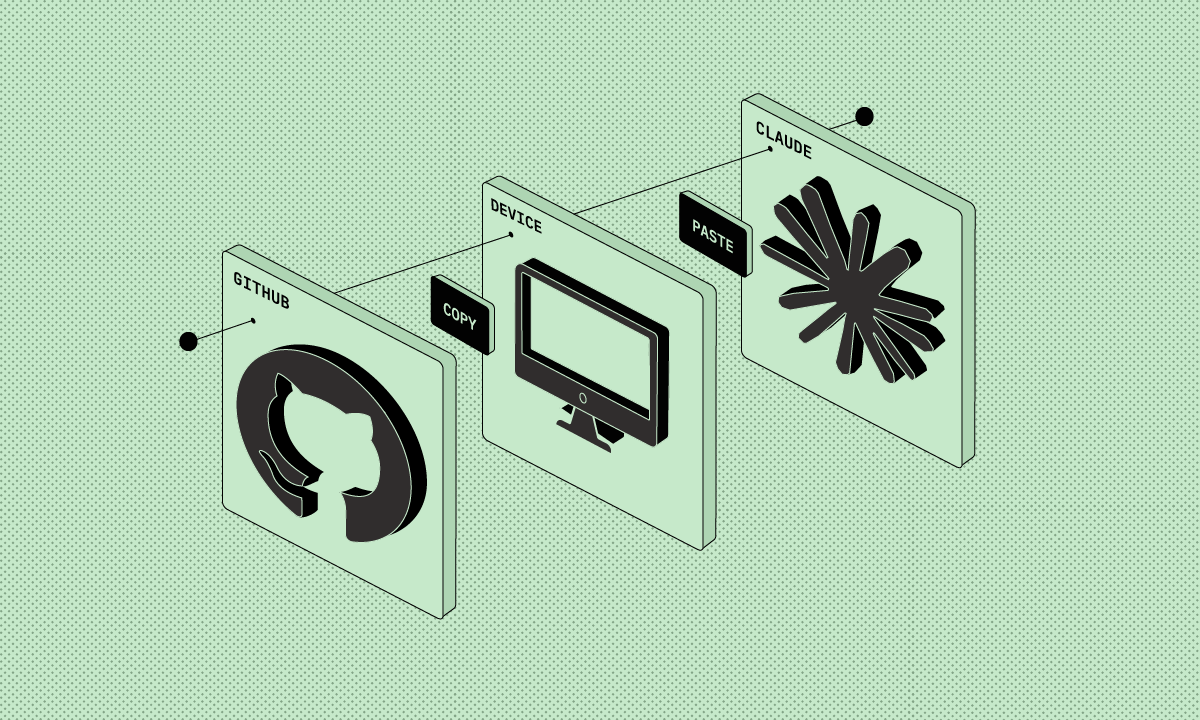
The distinction that matters is where the work happens. Old data loss prevention guarded the exits: the file transfer, email gateway, USB port. Claude is a conversation in a browser tab and a coding assistant in a developer’s terminal. Stopping a leak there means catching the action while the data is still in the room.
Why Claude Is a Distinct Data-Loss Risk
Claude carries a different risk profile from other AI tools because of what people use it for. Its long context window invites whole documents, full contracts, complete case files, and entire codebases. The work skews toward law, healthcare, finance, and engineering. The data going in is bigger, and it’s more sensitive.
A salesperson summarizing a deck is one kind of exposure. A lawyer pasting a privileged settlement agreement, an analyst dropping in a quarter of regulated financials, an engineer running Claude Code against a private repository: these are large data transfers and hard to undo. One ORION Security customer, a U.S. mortgage servicer, had engineers using Claude Code with no view into data sharing in those sessions. Claude earns trust on hard work, and that raises the stakes for data loss.
The 5 Ways Enterprise Data Leaks Through Claude
Enterprise data leaves through Claude in a handful of repeatable ways, and almost none of them are malicious. Someone pastes a full document for analysis. An engineer runs Claude Code against a repository that holds secrets. A regulated record goes in for summarizing. A strategy file goes in for redrafting. An employee opens a personal Claude account the company never sanctioned.
Typical scenarios include the long-document paste, where a whole contract or case file goes in for review; Claude Code against private repositories, where source and embedded secrets travel together; regulated records, where PHI or financial data goes in to be summarized; deal and strategy documents, where unreleased material goes in for redrafting; and the personal account, where someone uses free Claude on company work. Each one is an employee moving fast, with no control watching the surface.
Does Claude Have DLP Built In? The Compliance API, and What It Doesn’t Do
Claude Enterprise includes real governance. In May 2026 Anthropic shipped the Claude Compliance API, which routes Claude conversation content and activity events into existing security tools through 28 partners, among them Microsoft Purview, Forcepoint, Netskope, and Varonis. Security teams get Claude activity in the dashboards they already run. That’s genuine visibility, and it matters.
The Compliance API reports on data that’s already reached Claude. It’s a governance and monitoring feed, read after the fact, and it covers Claude Enterprise. The employee on Claude Team or a free account sits on consumer terms, where inputs can train the model by default, so the most casual use is the least covered. Prevention has to happen earlier, at the surface where the paste occurs, in the moment before the data leaves.
Swipe to see the full table →
| Capability | Claude Compliance API (native) | Real-time DLP at the surface (ORION Security) |
|---|---|---|
| When it sees the data | After it reaches Claude | Before it leaves the endpoint or browser |
| What it does | Reports and routes activity into your DLP and SIEM | Allows, stops, or coaches the action in real time |
| Coverage | Claude Enterprise | Claude Enterprise, Team, free accounts, and Claude Code |
| Role | Governance and visibility | Prevention at the point of risk |
The Compliance API reports what already reached Claude, which is useful for audit and monitoring. ORION Security works one step earlier, at the surface where the paste happens, and stops the leak before it reaches Claude at all. Governance after the fact from Anthropic; prevention before the fact from ORION Security.
Why Generic DLP Misses Claude
Generic DLP misses Claude because it was built to watch files, email, and network egress, not text and documents moving through a browser tab or a coding assistant. Its detection depends on matching a pattern set in advance: a credit card number, a file label, a known fingerprint. A long passage of pasted legal analysis matches none of those, so it passes straight through.
The category is sound. The policy model under it is what failed. Match-a-pattern was always going to lose once data started leaving as free text and whole documents. A control now has to see the action where it happens and judge it as it happens. That takes a different architecture, and AI is what makes it work, built for this surface from the start.
How Claude DLP Works: Capture, Classify, Act
Claude DLP works in three moves. It captures what a user is about to send, at the browser or the endpoint. It classifies whether the content carries sensitive data. Then it acts on a verdict, by intent and context: allow it, stop it, or coach the user in the moment. The decision lands before the prompt reaches Anthropic.
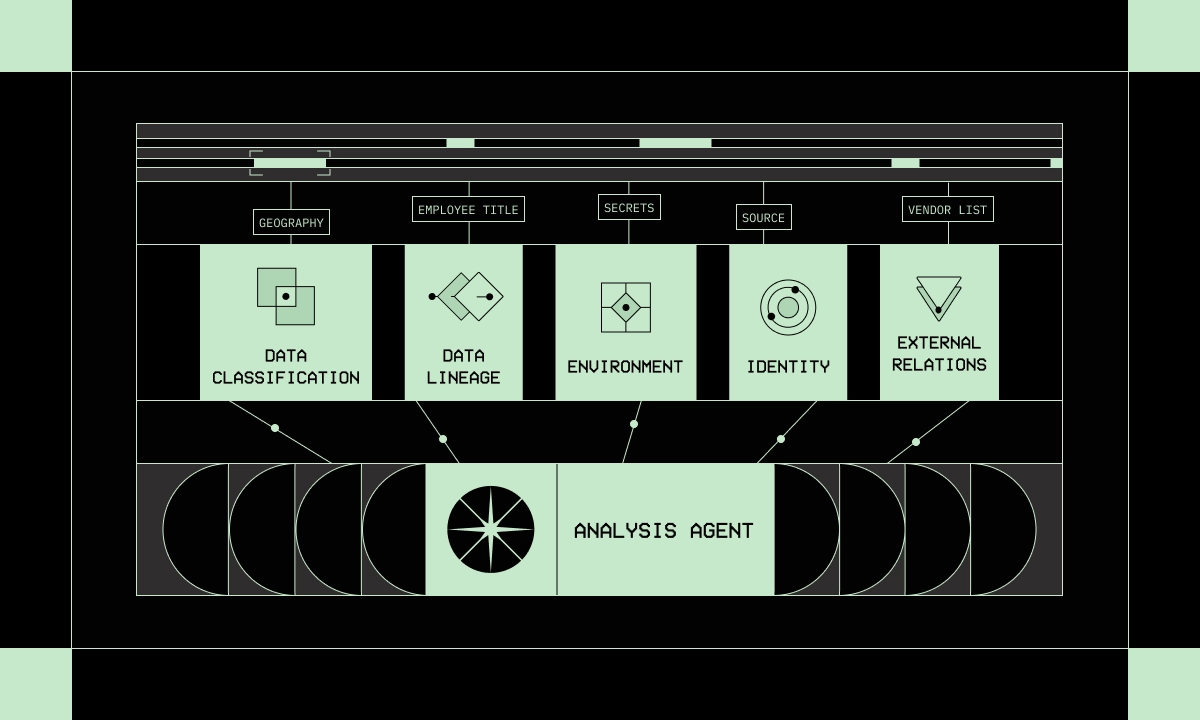
Underneath, a set of agents enrich every action the same way. They classify the content with language models, trace where it came from, and read the context around it: who’s sending it, from where, to where, and whether that’s normal for them. An analysis agent then returns the verdict. The same engine runs across every AI tool, so Claude, ChatGPT, and Copilot all pass through one analysis. The system learns your environment as it goes and isn’t trained on your data.
What ORION Security Does for Claude
ORION Security makes Claude safe to use rather than something to fence off from employees. It gives a security team one place to see all data movement into Claude and every other AI tool, classify what’s sensitive, and act before a leak leaves, by intent and context. Teams keep using Claude on real work, and the sensitive data stays in.
Two capabilities matter most here. ORION Security can be taught what your organization treats as sensitive, even when it isn’t a standard pattern, so a data type unique to your business gets caught where a generic classifier would wave it through. And it works without a policy-writing project up front, then lets you add hard rules on top of the AI’s classification when you want them. For the mortgage servicer running Claude Code, that turned an unseen risk into an enablement story: engineers kept their speed, and the security team finally saw what was being sent. Precise detection also cuts noise instead of adding to it. One ORION Security customer saw false positives fall from 10,000 a week to under 100.
What Securing Claude Looks Like in Practice
Securing Claude means watching every way data can move through it under one engine, so a paste, upload, and a Claude Code session all run through the same path and verdict. Coverage is the whole range, not a short list of preset scenarios. The common cases are easy to picture.
A lawyer pastes a privileged agreement to get a plain-language summary. An analyst drops a regulated financial model in for review. An engineer points Claude Code at a repository that holds API keys. An employee opens a personal Claude account to finish work off the clock. Each runs through the same analysis and choice: allow it, stop it, or coach the person in the moment. A large U.S. insurance brokerage runs its entire program this way with one person, less than two hours a day, where its old DLP needed a dedicated team and still couldn’t see the browser.
Setup and Integration Requirements
Agentic DLP for Claude should run light. ORION Security deploys in 30 minutes, the same across the browser, endpoint, and cloud AI tools, and it starts seeing data movement without a six-month policy build. Where you already run the Compliance API for Claude Enterprise, ORION Security adds the prevention that feed was never meant to provide.
Ask any DLP vendor three questions. Which surfaces does your tool cover: browser, endpoint, Claude Code, or only one? How long until it sees real Claude traffic, thirty minutes or several months? And how many people does it take to run? Legacy DLP earned its name by failing all three: a dedicated team, a long rollout, and a browser it couldn’t watch. ORION Security customers run their program with one person, less than two hours a day.
Claude DLP Best Practices
The best practice for Claude is to allow it with guardrails, not ban it. Detect at the surface where the paste and the upload happen, set policy by data type and intent, cover Claude Enterprise, Team, free accounts, and Claude Code together, and coach employees the moment they’re about to cross a line.
Bans backfire. Block Claude outright and the work moves to personal accounts on consumer terms, where inputs can train the model and the security team sees nothing, which is worse than where it started. Compliance follows from getting prevention right. It’s the downstream win, not the headline. When a privileged document or a regulated record never reaches a third-party model, the obligation that would have been breached never comes into play, and the audit takes care of itself.
Frequently Asked Questions
Does Claude have DLP built in?
No. Claude Enterprise adds account controls and, through the Compliance API, routes activity into your security tools. That’s governance and visibility, read after data reaches Claude. Stopping an employee from pasting confidential data into a prompt takes dedicated DLP at the browser or endpoint.
Does the Claude Compliance API replace a DLP tool?
No. The Compliance API reports Claude Enterprise activity into your DLP and SIEM, which is valuable for audit and monitoring. It doesn’t stop a sensitive paste in real time, and it doesn’t cover Team or free accounts. ORION Security adds what the API leaves out: prevention at the surface, before data reaches Claude.
Can DLP block data from being submitted to Claude?
Yes. Claude DLP can stop a risky submission, redact the sensitive part, or coach the user before the content reaches Anthropic. A precise tool chooses the lightest action by intent and context, so most work is never interrupted.
Is Claude safe for regulated industries?
With surface-level DLP in place, yes. Legal, healthcare, and finance teams use Claude on real work when a control reads each action and keeps regulated records from leaving. Without that control, the long documents these teams paste create exposure.
Does securing Claude mean blocking it?
No. The goal is safe adoption. Blocking pushes employees onto personal accounts with zero visibility. Good Claude DLP lets teams keep using the tool while confidential data’s caught before it leaves.
What about Claude Code?
Claude Code is covered as its own surface. ORION Security sees what a coding session is about to send and catches source code and embedded secrets before they leave, so engineers keep their speed and the security team keeps its view.
Welcome to our DLP for AI blog series. Read our previous article on DLP for ChatGPT.